Bank Audi will never ask you for any confidential and sensitive information via email (User IDs and passwords, debit/credit card information, PINs and CVVs, etc.). Immediately report any suspicious emails to 1570 without responding to them and without clicking on any embedded links.
Bank Audi will never ask you for any confidential and sensitive information via email (User IDs and passwords, debit/credit card information, PINs and CVVs, etc.). Immediately report any suspicious emails to 1570 without responding to them and without clicking on any embedded links.
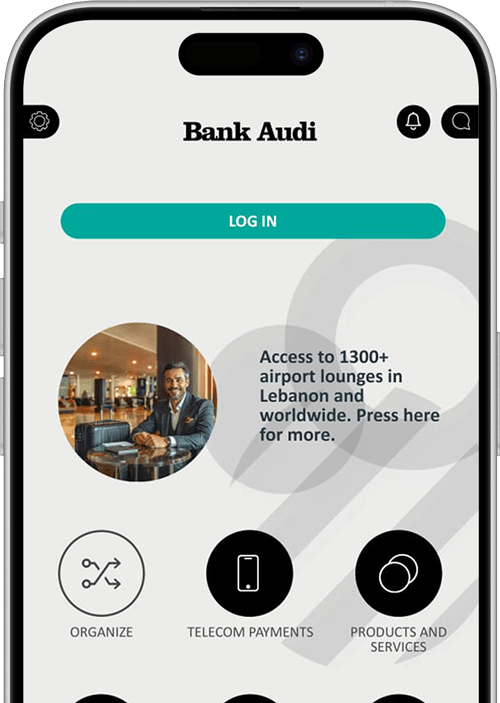
Highly responsive, agile and safe, our mobile app with its handy features and constant enhancements gives you full control of your accounts and finances, anytime, anywhere.
Recharge your internet or settle your landline, prepaid and postpaid mobile line bills
All you need to do is follow these quick and easy steps:
Go to “Bill payments & Telecom” → “Telecom”
Select the service
Enter the mobile/landline number/subscription number
Choose the source account and submit
Request a cheque book
Monitor your accounts’, loans’ and cards’ activity anytime, anywhere
Pay credit card bills
Tap on “Cards”, then “Credit Card Payment”
To pay your credit card, tap on “My Credit Card”
Select the card
Select the source account
Select the amount and currency
You can either settle the monthly payment or pay your card in full
Enter a description and tap on “Continue”
Request an External Account
Access Audi Online or Bank Audi mobile app
Under “Requests” select “Open An External Account”
Select the required information (branch, currency…)
Review the Key Fact Statement (KFS) & disclaimer. Agree to the conditions.
Submit the request
Transfer Money Internationally
To make an International Transfer* from your External Account:
Tap on “Transfers”, then “Local/International Transfer”
Choose “Select From List”
Select the country you are making the transfer to, enter the beneficiary account’s swift code and tap on “Search”
Select the bank that appears on the screen and enter the account's IBAN
Enter the beneficiary name and address
Should you need to make the same transfer in the future, select “Add to Registered Beneficiaries” and then “Continue”
Select the source account, enter the amount and currency, and tap on “Continue”
Select your correspondence charge preferences, enter a description and tap on “Continue”
Enter the one-time password you’ll receive and confirm
And you’re done!
* International Transfers are subject to the online banking daily and monthly limits. For higher limits, please refer to your branch.
Also, the applied charges are USD 15 + 2‰ with a minimum of USD 30 and a maximum of USD 500.
Transfer money between your accounts
To make an Own Account Transfer:
Tap on “Transfers”, then “Own Account Transfer”
Select the beneficiary account
Select the source account
Enter the amount and currency
Enter a description and tap on “Continue”
Transfer money internally
To make an Internal Transfer to a Bank Audi account:
Tap on “Transfers”, then “Internal Transfer”
Enter the beneficiary account’s IBAN number
Select the source account, enter the amount and tap on “Continue”
Enter the one-time password you’ll receive and confirm
Transfer money locally
To make a Local Transfer to an account outside Bank Audi*:
Tap on “Transfers”, then “Local Transfer”
Choose “Select From List”
Select “Lebanon” from the “Country” list, enter the beneficiary account’s swift code and tap on “Search”
Enter the beneficiary account’s IBAN number followed by the beneficiary’s name and address
Select the source account, enter the amount and currency, and tap on “Continue”
Select your correspondence charge preferences, enter a description and tap on “Continue”
Enter the one-time password you’ll receive and confirm
*Please note that Bank Audi will not charge any fees while the recipient bank might.
Instant Exchange from USD to LBP
Make instant transfers from your USD External Account to your LBP Current Account on Bank Audi mobile app and Audi Online by following the steps below:
Log in to Audi Online or Bank Audi mobile app
Tap on “Transfers”, then “Own Account Transfer”
Select the beneficiary LBP Account*
Select the source account: Current Account – Personal External Account
Enter the amount and currency
Check the applied rate in the disclaimer and approve
Enter a description and tap on “Continue”
*Press
here
should you need to withdraw all the exchanged amount in cash.
Open a Personal Cash LBP Account Online:
Access Audi Online or Bank Audi mobile app
Under “Requests” -> Select “Open a new account” -> Choose “Personal Cash Account” from the drop down menu
Select the required information
Review the Key Fact Statement (KFS) & disclaimer. Agree to the conditions.
Submit the request.
Once the account is open, you can call 1570 and link it to your debit card.
Settle your Public Corporation for Housing 2nd Phase Interest Payment
Start repaying your home loan interest to the Public Corporation for Housing.
Go to Bill payments & Telecom → “Public Payments & Fines” → Public Corporation for Housing
Settle university and school tuition fees
From the comfort of your screen:
Go to “Bill payments & Telecom” → “University Tuition”/”School Tuition”
Select the institution
Enter required details
Choose the source account and submit
NEW MONEY TRANSFER FEATURE
Make transfers from your own USD to LBP accounts as per BDL Circular 151
To easily transfer from your USD to LBP account as per BDL circular 151*:
Open the app and go to Transfers & Own Account Transfer
Set the LBP account as the beneficiary
Set your USD account as the Source Account
Input the amount you'd like to exchange**
Enter your transfer details and confirm the transaction
*Exchange rate is currently LBP 8,000.
**Transfers from your USD account exceeding your set monthly limit will be performed at the official exchange rate.
HOW TO GET STARTED?
Download the Bank Audi mobile app using your Debit Card details only, or sign in from your desktop via Audi Online. You can also sign the Enrollment Form at your nearest Bank Audi branch or at our NOVO branches to benefit from these features and services.
Enter the couple’s account number to participate in their wedding list:
If the wedding invitation holds a full IBAN number, enter the 8 digits that fall right before the last 4 digits, as highlighted in red.
e.g.: if the IBAN number is LBxxxxxxxxxxxxxx00123456xxxx, the account to be inserted is 00123456.
If the wedding invitation holds a 6-digit ID, add 00 to the left.
e.g.: if the account number is 123456, the account to be inserted is 00123456.
Download our app
Cookies Information
This website uses cookies to enhance site navigation, analyze site usage and assist in marketing efforts. Check our Cookie Policy for details.
Decide which cookies you want to allow.
You can change these settings at any time. However, this can result in some functions no longer
being
available. For information on deleting the cookies, please consult your browser's help
function. LEARN MORE ABOUT THE COOKIES WE USE.
Necessary
Functionality
Analytics
Marketing
This website will:
Remember your cookie permission setting
Allow session cookies
Gather information you input into a contact forms,
newsletter
and
other forms across all pages